 COWABUNGA.work
camera controls redesign
overview and problem
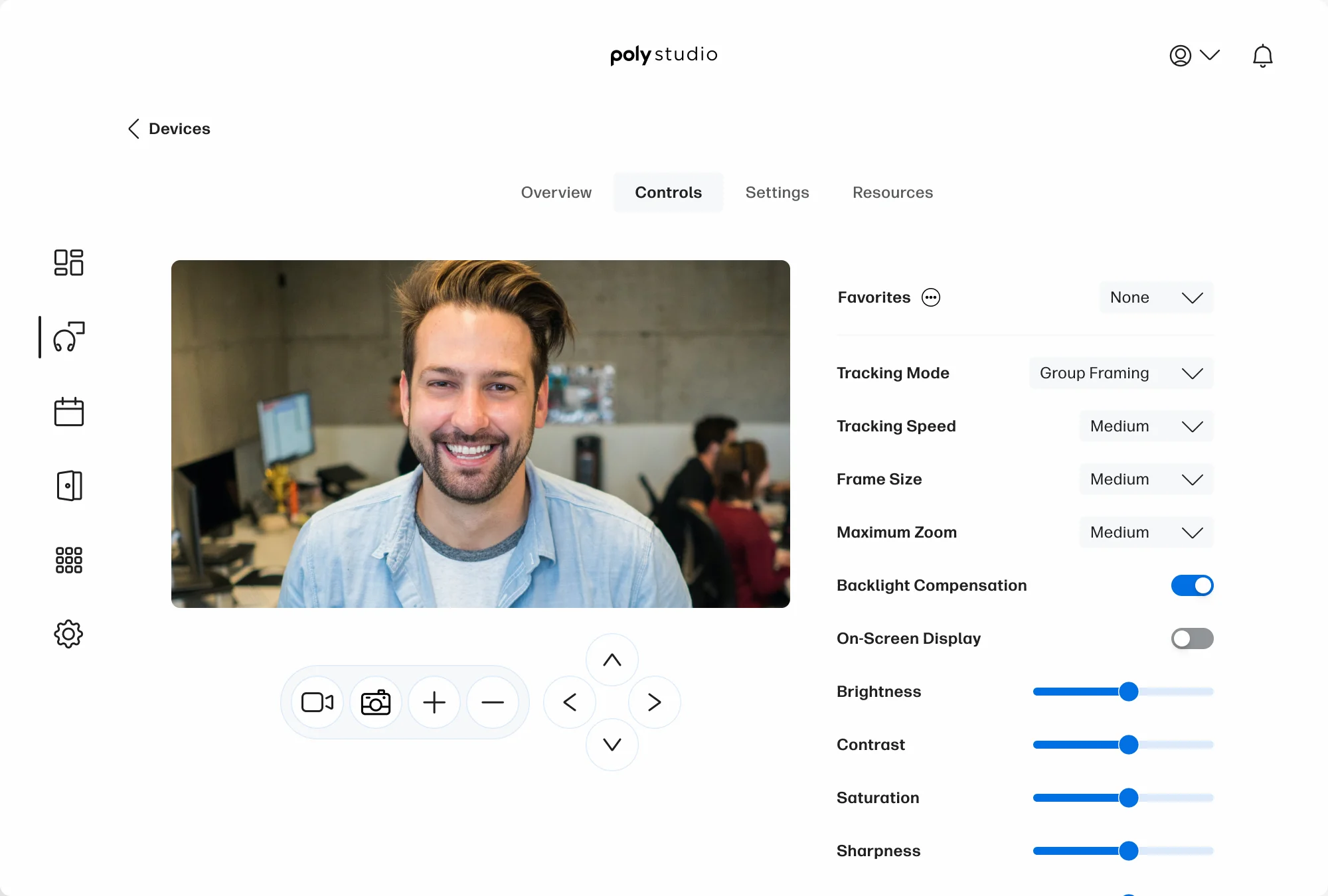
Poly Studio is a device management app for people who buy or are supplied with our devices. As part of a company-wide effort to modernize the app and expand its functionality, I redesigned its camera controls.
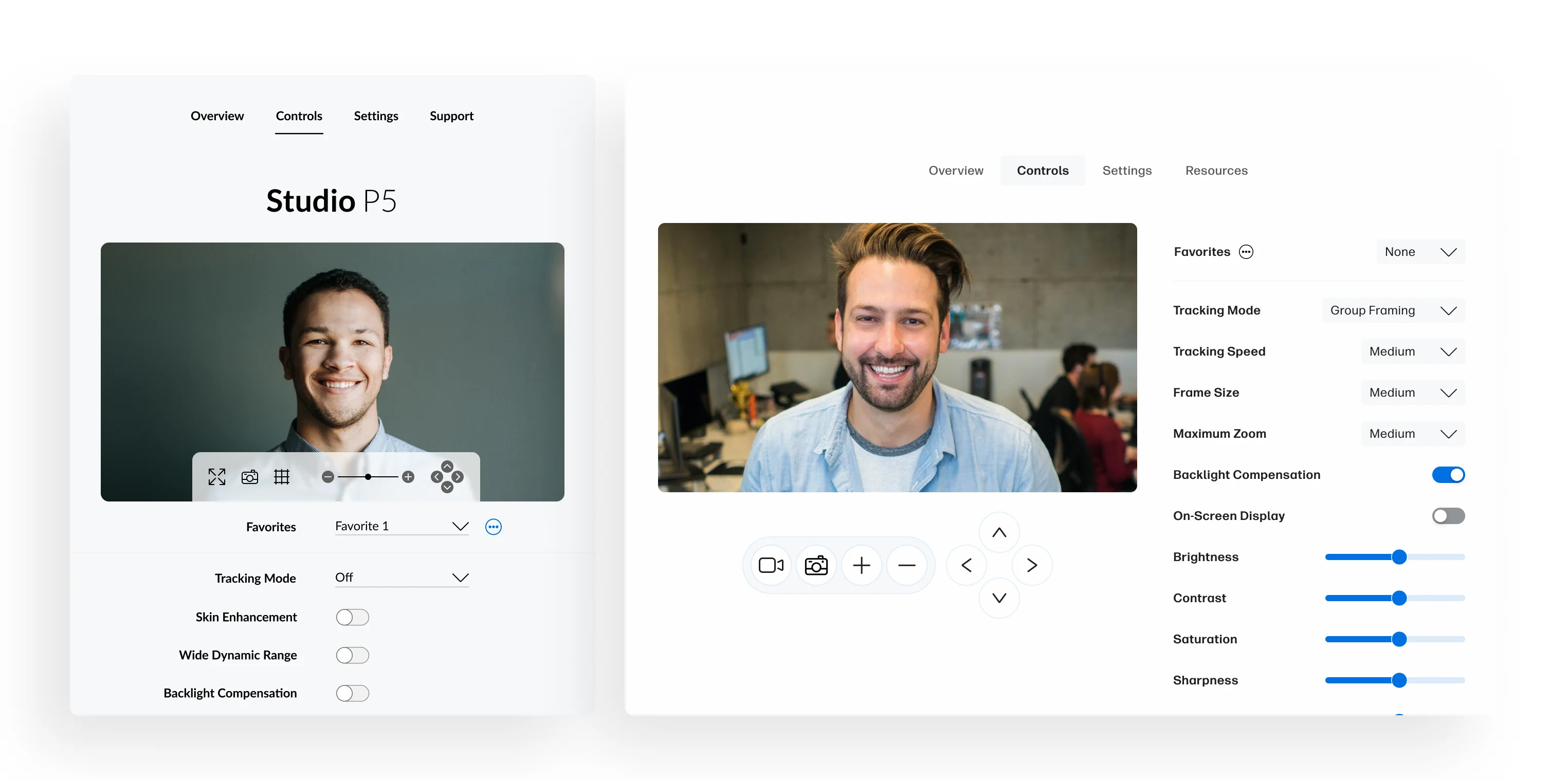
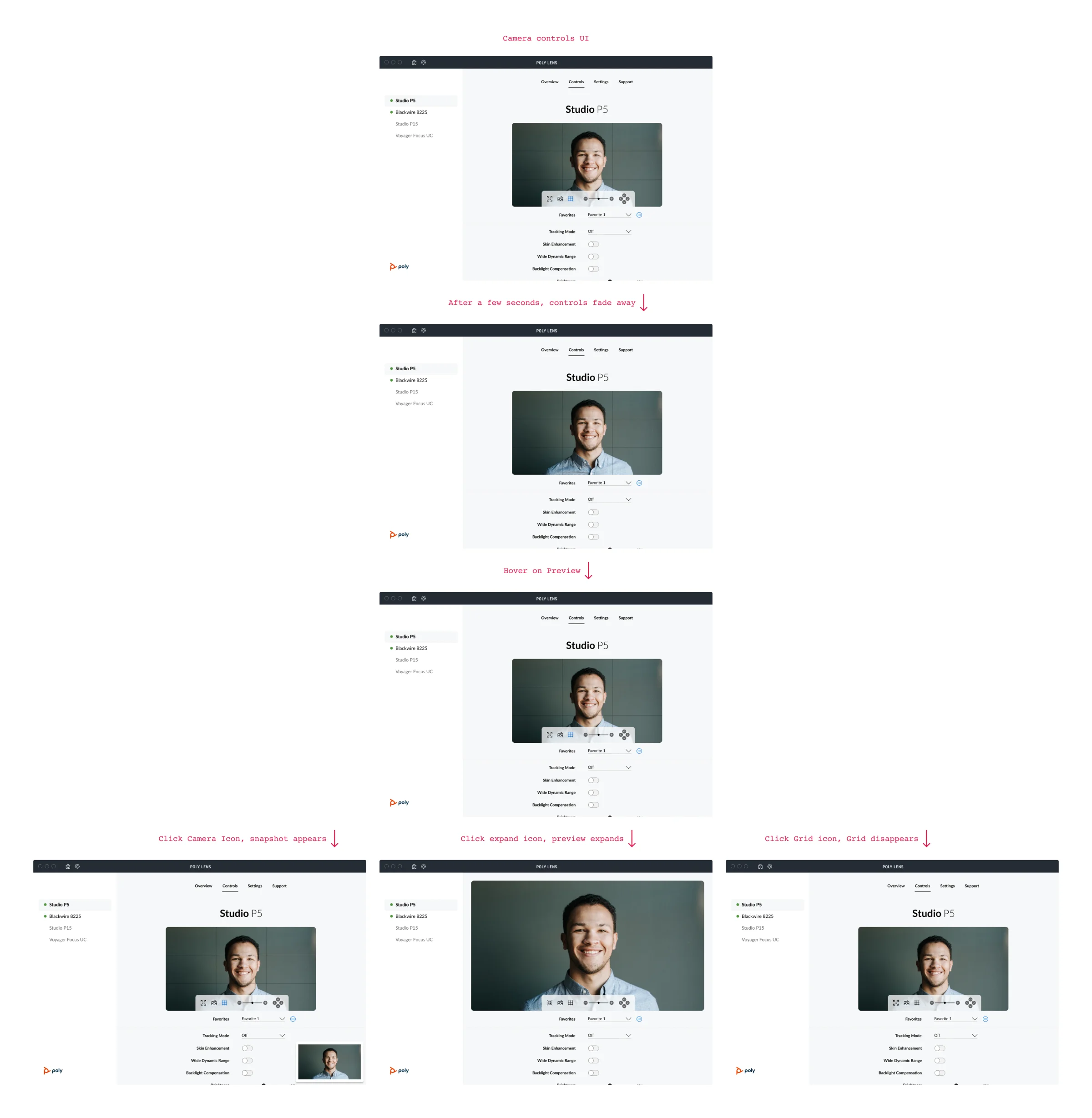
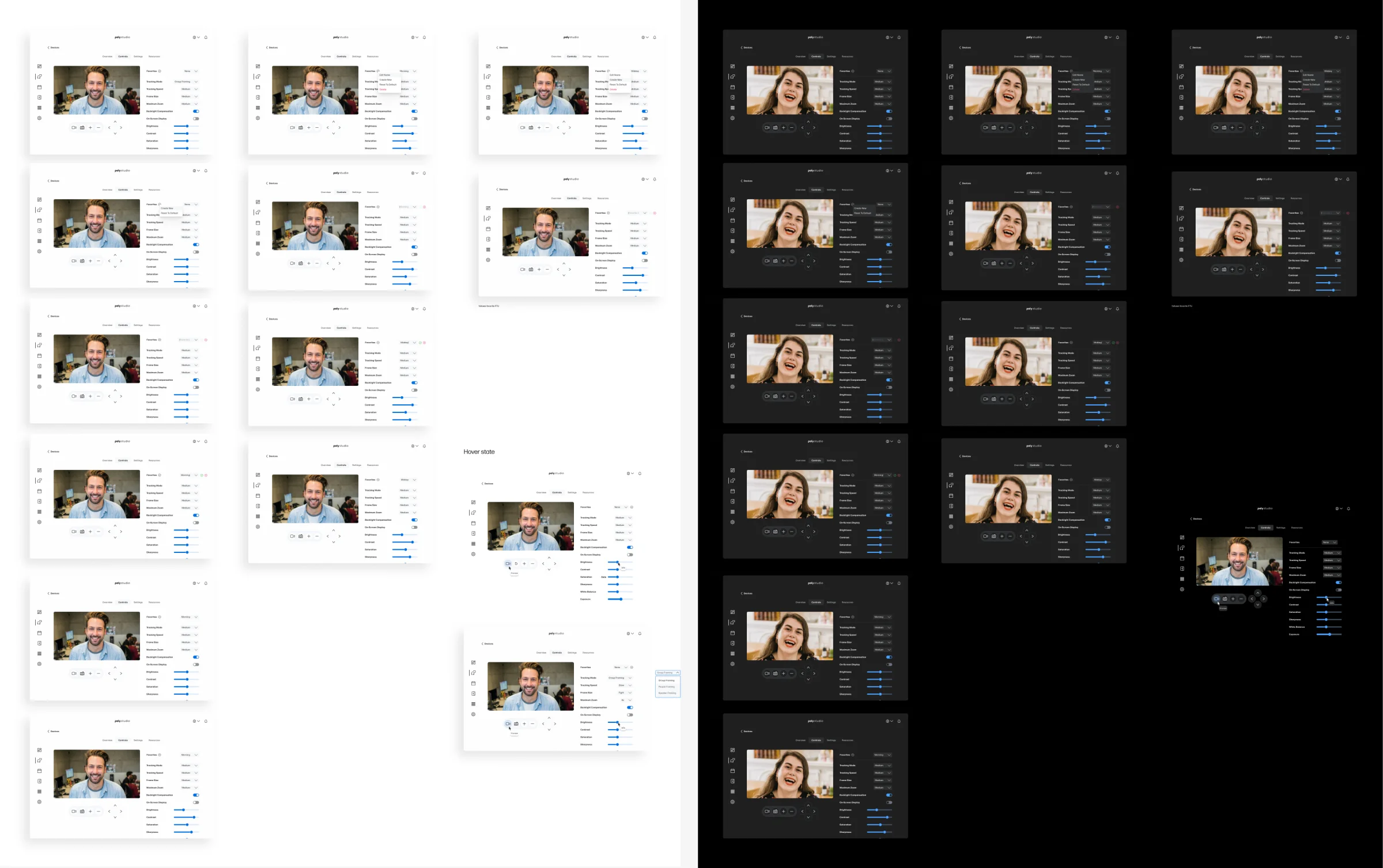
The original layout showed only a few settings at a time, making configuration tedious. Users also found the pan, tilt, and zoom controls annoying to access because they appeared only when hovering over the camera preview. I noticed that the control increments were too small as well.
The redesign needed to scale as new controls were added, keep settings accessible, and give Pan Tilt Zoom controls a consistent place.
my role and solution
I owned the layout, control visuals, and prototyping. I worked closely with another designer to fit new feature requests into the experience.
I moved the settings into a scrollable side panel and kept the Pan Tilt Zoom controls visible beside the camera preview. This made more settings visible at once and gave the Pan Tilt Zoom controls a consistent home. The larger preview also removed the need for an expand option.
outcome and takeaways
Complex prototypes help me use interactive component variants more efficiently, reducing the number of screens needed. It can also be frustrating when development constraints limit what a design can do, or when a design system can’t evolve as much as it needs to. Revisiting the system with a fresh perspective gave me a chance to address pain points that had built up over time.